The best mechanical keyboards for a developer desk balance layout, connection options, and switch feel with the controls you actually use. These picks range from compact hot-swap boards for multi-device setups to SteelSeries models with per-key actuation and an OLED display.
Quick Top Products
SteelSeries Apex Pro TKL

- OmniPoint 2.0 switches allow adjustable per-key actuation.
- The TKL layout retains full-size functionality.
- An OLED screen and USB passthrough add onboard controls and connectivity.
Best For: Players and typists who want per-key actuation controls in a TKL layout.

SteelSeries Apex Pro

- OmniPoint 2.0 switches provide adjustable actuation.
- Per-key settings cover 0.1–4.0mm.
- The OLED display and USB passthrough extend its controls and connectivity.
Best For: Users who want a number-pad layout with adjustable actuation and an OLED display.
SteelSeries Apex Pro Mini
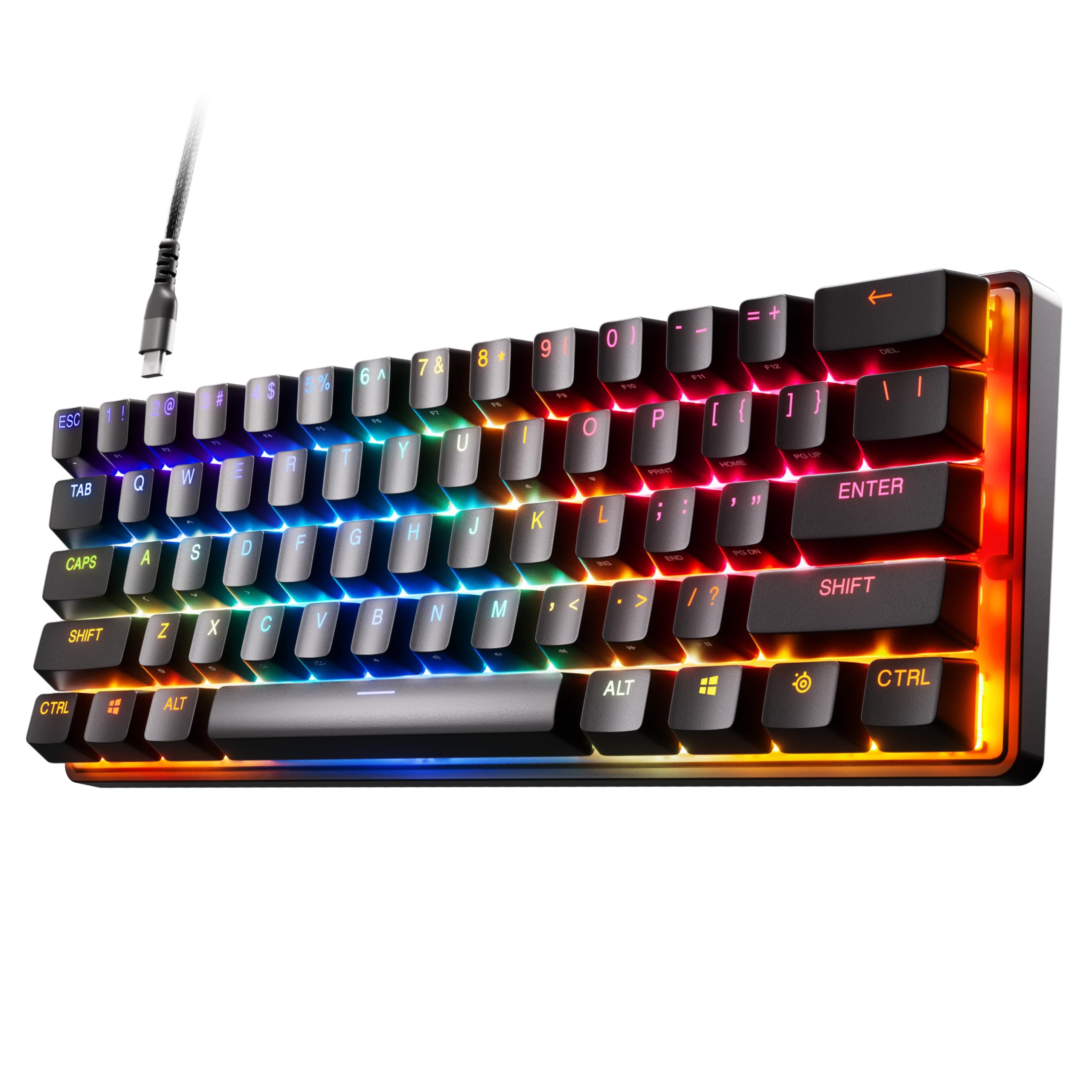
- The 60% form factor saves desk space.
- OmniPoint 2.0 switches offer per-key actuation adjustment.
- PBT keycaps and detachable USB-C are included features.
Best For: Players looking for a compact wired keyboard with customizable actuation.
SOLAKAKA KI99 Pro Silent Switch

- Triple-mode connections include BT5.0, 2.4GHz, and Type-C.
- Silent switches and five noise-reducing layers target quieter typing.
- The 96% layout includes a control knob for volume, media, and lighting.
Best For: People who want a compact full-function layout and reduced typing noise.
SteelSeries Apex 7 TKL Red Switch
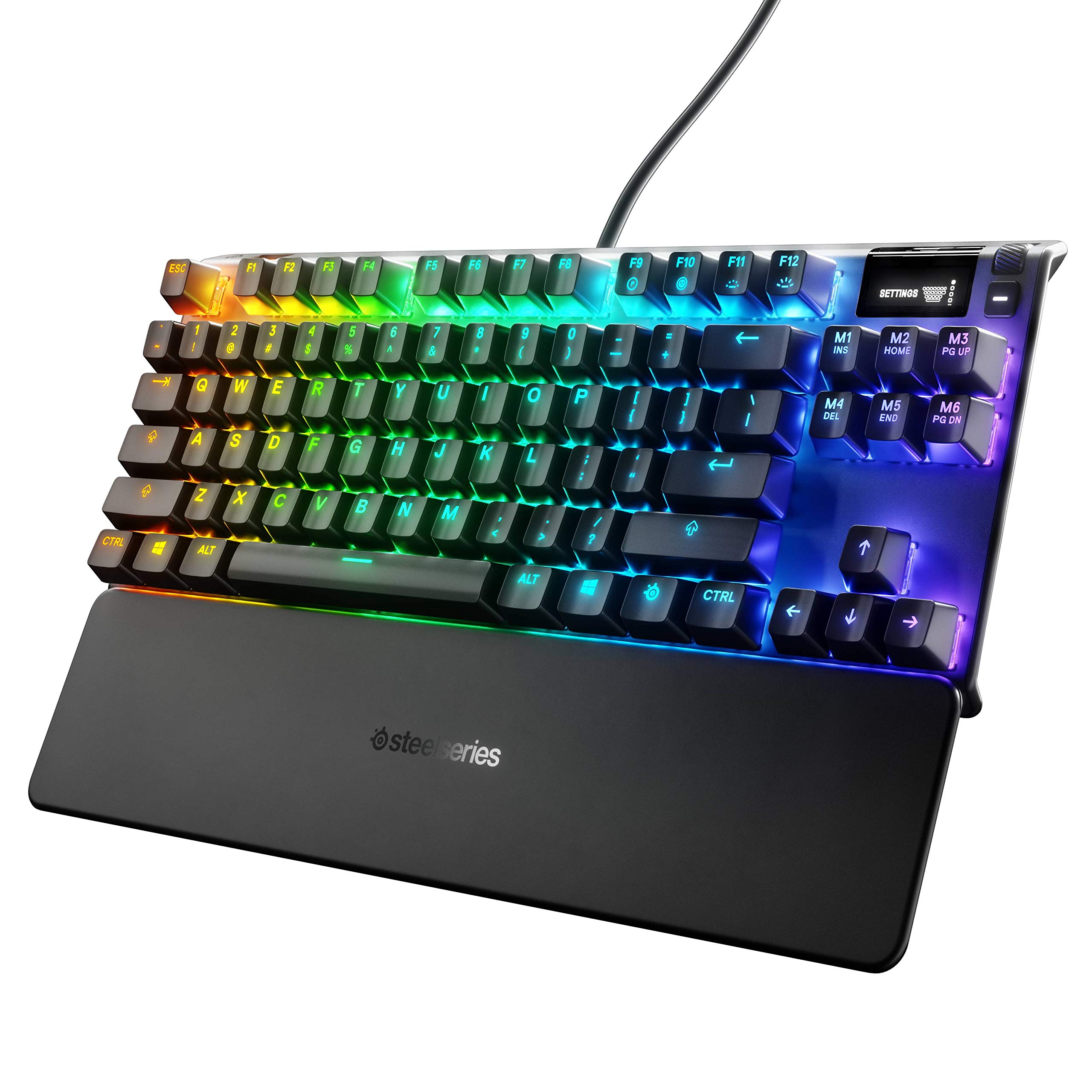
- The TKL board uses Red linear and quiet switches.
- An OLED display and media controls are included.
- It has per-key RGB lighting.
Best For: Buyers seeking a wired TKL keyboard with linear, quiet Red switches and media controls.
SteelSeries Apex 7 Blue Switch
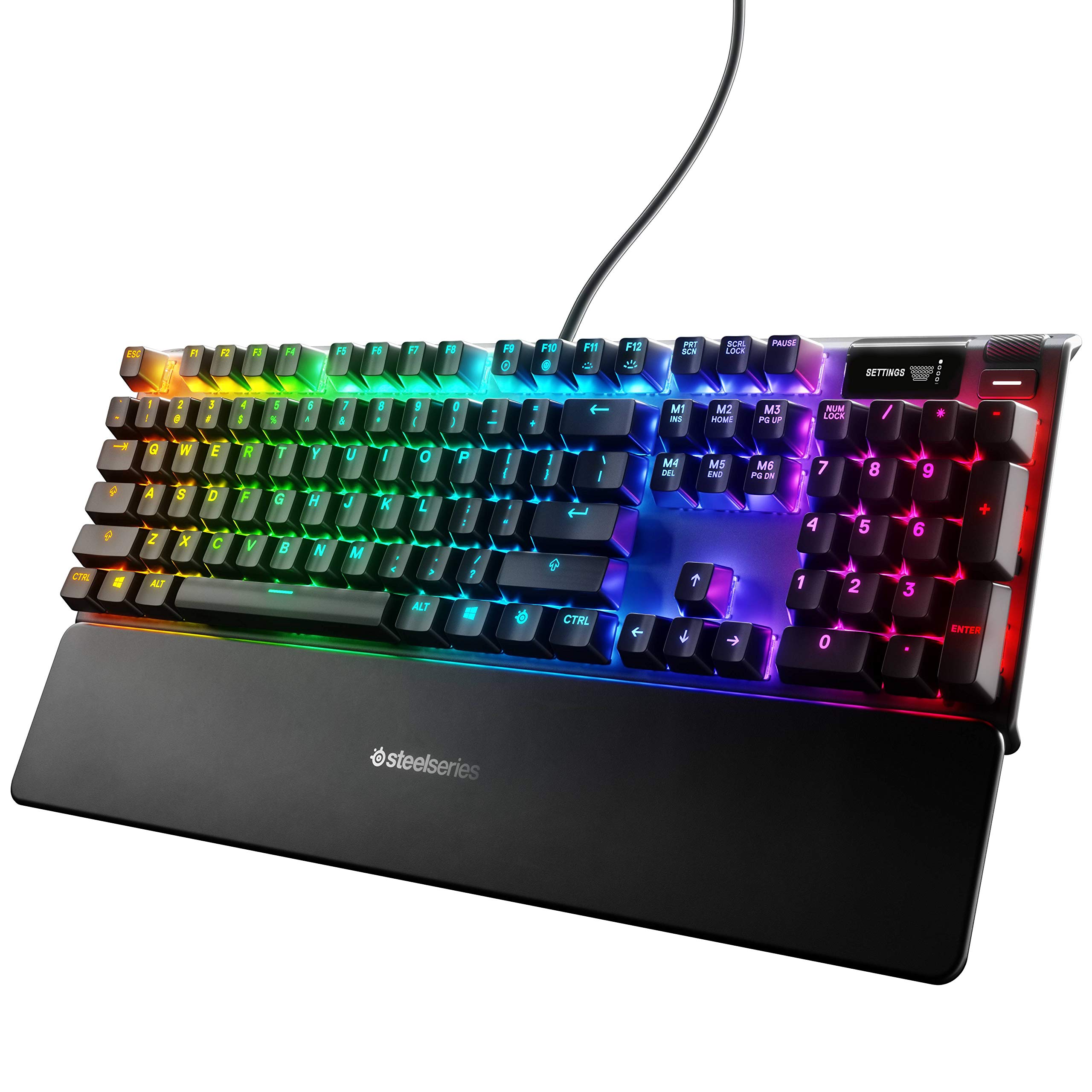
- The Blue switches are tactile and clicky.
- The OLED display provides onboard settings and app information.
- A magnetic wrist rest and USB passthrough are included features.
Best For: Typists and gamers who want tactile, clicky switches with full-size controls.
SOLAKAKA A75 Reaper Switch
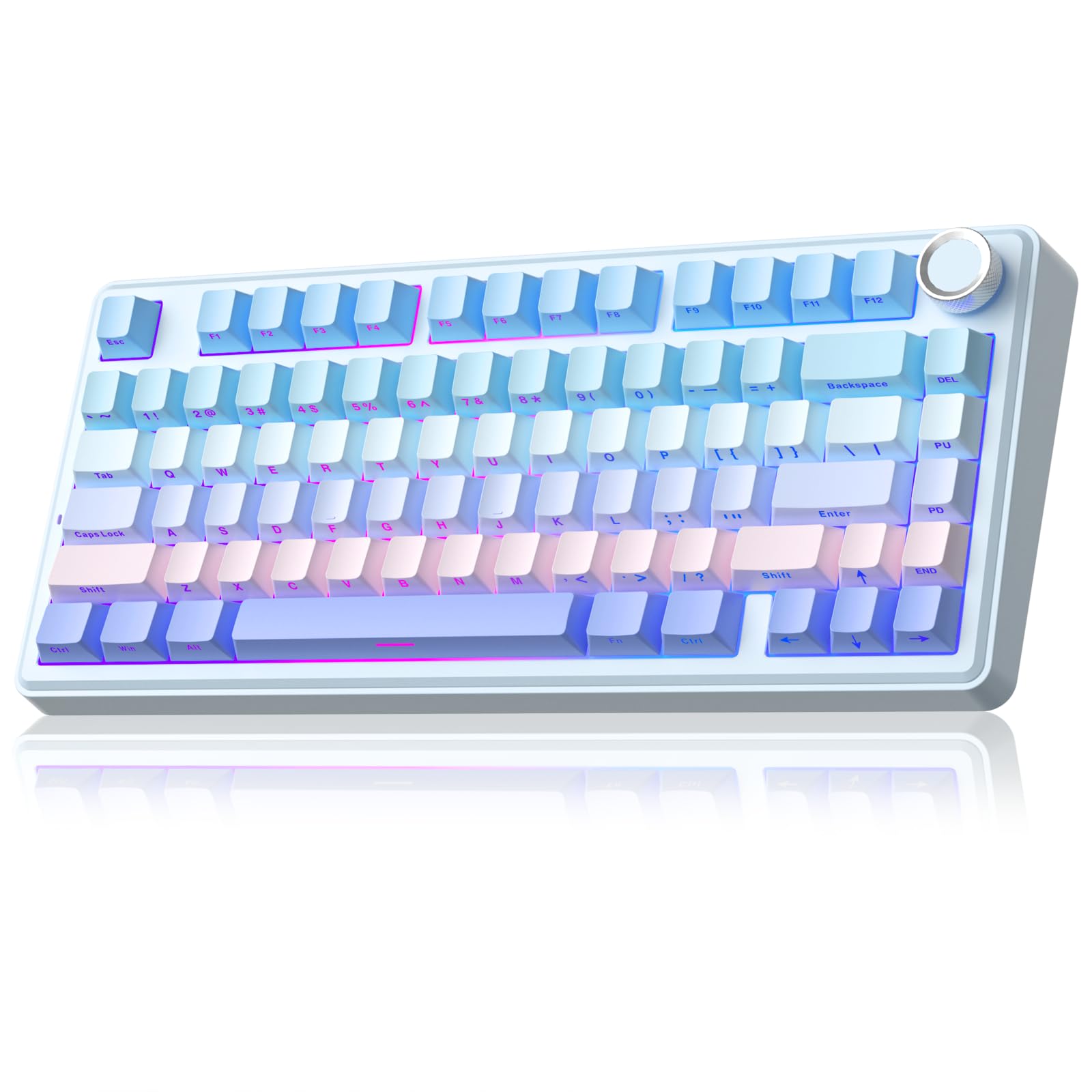
- The 81-key layout retains arrow keys in a compact form.
- It supports three connection modes and up to five devices.
- 3-pin and 5-pin switches can be hot-swapped without soldering.
Best For: Users who want a hot-swappable 75% keyboard with tri-mode connections and programmable controls.
SOLAKAKA KI99 Pro Creamy
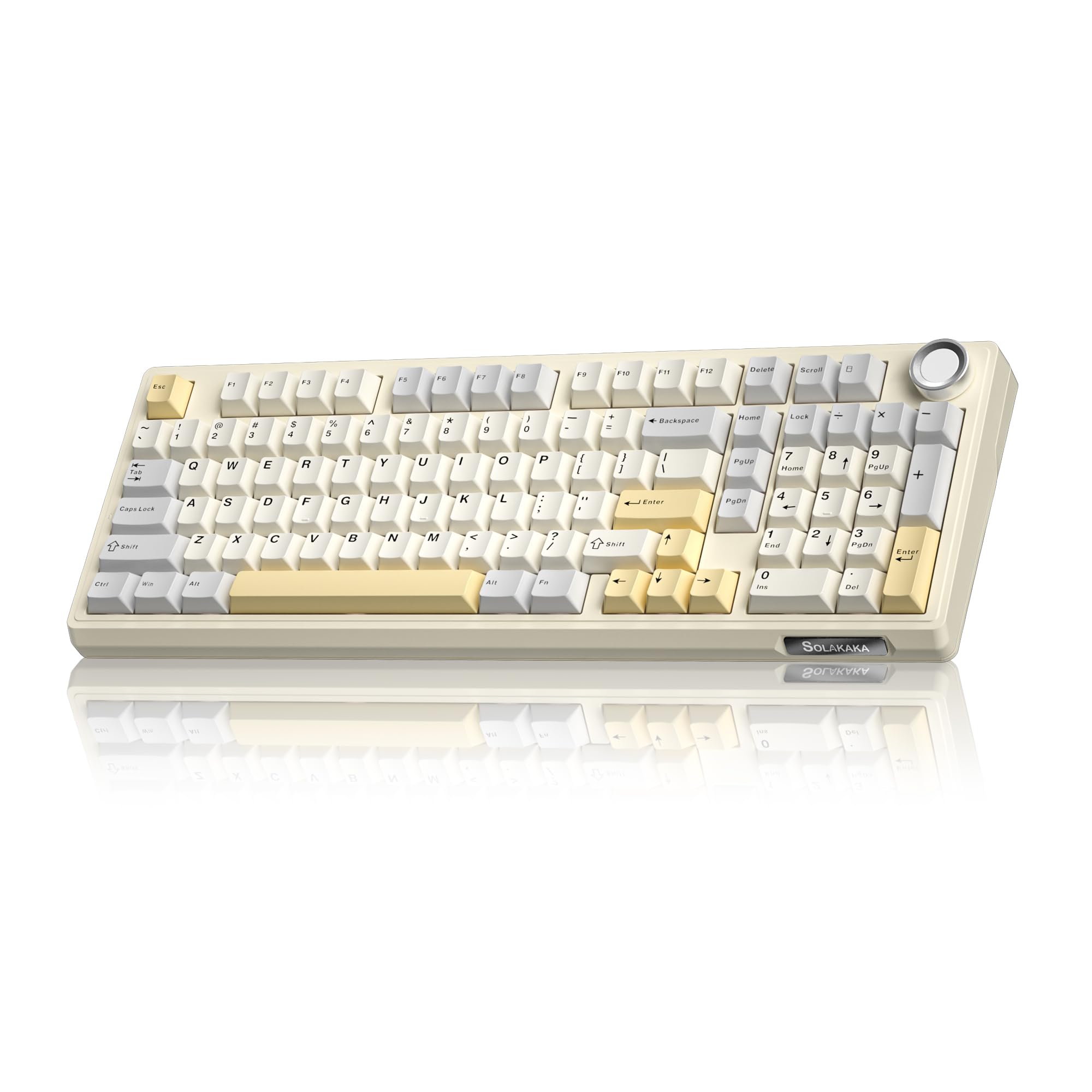
- The 96% layout integrates most full-size keys with a knob.
- It supports BT5.0, 2.4GHz, and wired Type-C connections.
- The 10,000mAh battery reduces charging frequency, according to its feature description.
Best For: Buyers seeking a wireless 96% board with a number pad, large battery, and hot-swap switches.
SOLAKAKA A75 Crystal Keycap
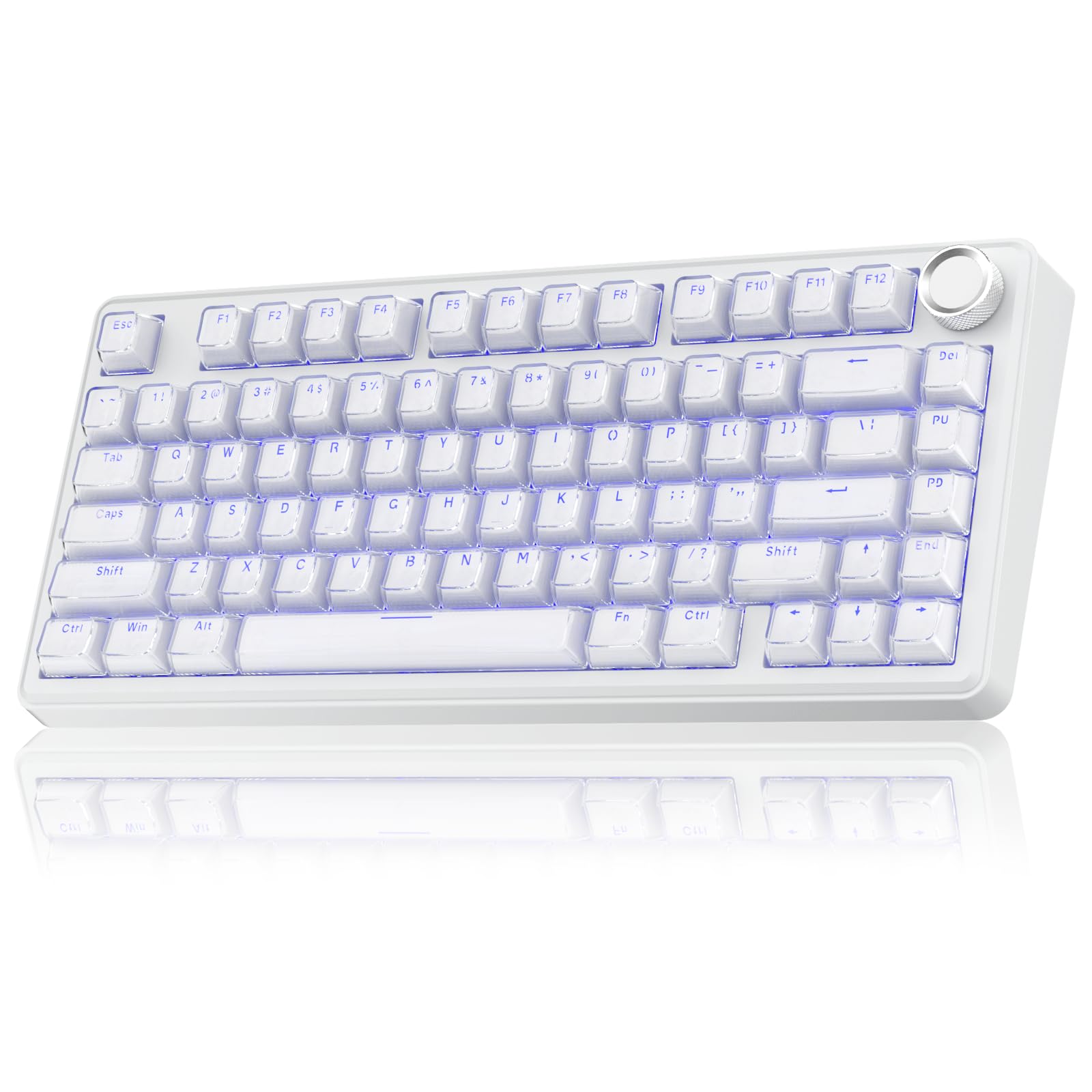
- The 75% layout has 81 keys and preserves essential arrow keys.
- Crystal caps use a transparent PC outer shell and ABS inner layer.
- It supports 3- and 5-pin switch replacement without soldering.
Best For: Users wanting a compact 75% keyboard with illuminated crystal keycaps and multi-device connections.
Adjustable Actuation in a Tenkeyless Layout
SteelSeries Apex Pro TKL HyperMagnetic Gaming Keyboard - Adjustable Actuation - Esports Tenkeyless - OLED Screen - RGB - PBT Keycaps - USB-C
The Apex Pro TKL pairs an esports-oriented tenkeyless layout with adjustable OmniPoint 2.0 switches. Its per-key actuation settings span 0.1–4.0mm, so frequently used keys can be set for lighter or deeper presses.
Two actions can also be assigned to one key, and an OLED screen, USB passthrough, and detachable USB-C connection add practical controls. This is a wired option for someone who wants extensive key tuning while keeping full-size functionality in a smaller footprint.
Its configurable actuation is most useful to buyers willing to adjust settings; those seeking wireless use should consider another pick.
Best For: Players and typists who want per-key actuation controls in a TKL layout.
| Pros | Cons |
|---|---|
|
|
Choose this model if granular actuation and retained function keys matter more than a wireless setup. Its TKL format keeps full-size functionality, while the Apex Pro Mini trades that layout for a smaller footprint and the full-size Apex Pro provides a number pad.
Before buying, check that the tenkeyless arrangement suits your desk and that you want to configure actuation levels; the OLED, USB passthrough, and detachable USB-C are useful extras for a wired workstation.
Full-Size Actuation Tuning With OLED Controls
SteelSeries Apex Pro HyperMagnetic Gaming Keyboard — Adjustable Actuation — OLED Screen — RGB – USB Passthrough
The full-size Apex Pro brings OmniPoint 2.0 adjustable switches to a keyboard with a number pad. Its 40 per-key actuation levels run from 0.1 to 4.0mm, and two actions can be assigned to one key, which gives players room to tune movement and ability keys separately.
The OLED display, clickable metal roller, media key, and USB passthrough serve as built-in controls and an extra connection. It suits a desk where full-size layout and detailed key settings matter.
This model is wired, so it is a less natural fit for a setup that depends on wireless pairing.
Best For: Users who want a number-pad layout with adjustable actuation and an OLED display.
| Pros | Cons |
|---|---|
|
|
This is the choice for buyers who want adjustable actuation and prefer a full-size arrangement. The TKL version preserves full-size functionality in an esports tenkeyless form, while the Mini cuts down to a more compact layout.
Compare the actual desk footprint and key layout before choosing, since this record does not name the full-size model's layout explicitly. Consider whether the OLED, media controls, and extra USB connection justify choosing a wired board for your setup.
Compact 60% Board With Adjustable Switches
SteelSeries Apex Pro Mini HyperMagnetic Gaming Keyboard – Adjustable Actuation – Compact 60% Form Factor – RGB – PBT Keycaps – USB-C
The Apex Pro Mini combines a compact 60% form factor with adjustable OmniPoint 2.0 switches. Per-key actuation has 40 levels from 0.1 to 4.0mm, and two actions can share a key, creating options for game-specific input setups.
It has an aluminum top plate, RGB lighting, PBT keycaps, and detachable USB-C. The board retains what SteelSeries calls full-size functionality in a smaller form, but a 60% layout means buyers should make sure its compact arrangement suits their daily work.
It is wired, with no wireless connection described for this offer.
Best For: Players looking for a compact wired keyboard with customizable actuation.
| Pros | Cons |
|---|---|
|
|
Pick the Apex Pro Mini if desk space and fine actuation control are priorities, and you are comfortable with a 60% layout. The TKL Apex Pro keeps more dedicated keys while remaining tenkeyless, and the full-size Apex Pro adds a number pad.
This offer specifies a wired connection, detachable USB-C, RGB, and PBT keycaps. Check how the compact layout fits your regular typing and gaming shortcuts before choosing it as an everyday board.
Quieter Wireless Typing With a Number Pad
SOLAKAKA KI99 Pro Wireless Mechanical Keyboard with Quiet Switch, Hot Swappable Pre-Lubed Switches with RGB Backlit, Gasket Structure Computer Gaming Keyboard (BlackBlue, Silent Switch)
The KI99 Pro Silent Switch combines a 96% layout with BT5.0, 2.4GHz wireless, and Type-C wired connections. Its five noise-reducing layers and silent switches are designed to reduce typing noise, while the gasket structure gives it a smooth, creamy feel.
A control knob adjusts volume, media, and lighting brightness. The keyboard supports hot-swapping 3- or 5-pin switches, has PBT keycaps, and provides programmable keys and macros through its driver.
It fits a work-and-gaming setup that needs a number pad and multiple connection modes, with switch customization available later.
Best For: People who want a compact full-function layout and reduced typing noise.
| Pros | Cons |
|---|---|
|
|
This model suits buyers who want a number pad, three connection modes, and a quieter switch setup. The standard KI99 Pro records emphasize wireless use and customization but do not specify silent switches in the title; this version explicitly names them.
A compact SOLAKAKA alternative also supports tri-mode connections, though it omits the number pad. Check that the layout and its particular connection and switch setup fit your desk and typing environment.
Tenkeyless Layout With Linear Red Switches
SteelSeries Apex 7 TKL Compact Mechanical Gaming Keyboard – OLED Smart Display – USB Passthrough and Media Controls – Linear and Quiet – RGB Backlit (Red Switch)
The Apex 7 TKL combines a tenkeyless layout with Red linear and quiet switches, an OLED smart display, and media controls. RGB lighting offers per-key customization, while an aircraft-grade aluminum alloy frame and magnetic wrist rest add structural support and palm support.
USB passthrough provides a connection for another USB-powered device. Unlike the Apex Pro TKL, this model's supplied details do not include adjustable actuation, so it is a simpler fit for buyers who prefer a specified linear switch rather than per-key tuning.
It is a wired gaming keyboard with a compact layout.
Best For: Buyers seeking a wired TKL keyboard with linear, quiet Red switches and media controls.
| Pros | Cons |
|---|---|
|
|
Consider the Apex 7 TKL if you want a tenkeyless layout with a named linear Red switch, OLED display, and media controls. The Apex Pro TKL adds adjustable actuation and two-action keys, making it a more configurable alternative in the same general layout category.
The Apex 7 listing details focus on onboard controls, lighting, a wrist rest, and its frame. Check whether the Red switch feel and wired setup match your daily use; hot-swap support is not specified.
Full-Size Tactile Clicky Switches
SteelSeries Apex 7 Mechanical Gaming Keyboard – OLED Smart Display – USB Passthrough and Media Controls – Tactile and Clicky – RGB Backlit (Blue Switch)
The Apex 7 Blue Switch offers tactile and clicky switches in a full-size mechanical gaming keyboard. Its OLED smart display serves as an onboard control center for settings and information from games and apps, while media controls, USB passthrough, RGB lighting, and a magnetic wrist rest round out the feature set.
The aircraft-grade aluminum alloy frame is another part of the design. This option makes sense for people who want a conventional full-size layout and explicitly prefer clicky feedback.
The provided details do not specify connection modes or hot-swap support, so check those points if they influence a long-term workstation choice.
Best For: Typists and gamers who want tactile, clicky switches with full-size controls.
| Pros | Cons |
|---|---|
|
|
Choose the Apex 7 Blue Switch if tactile, clicky feedback and a full-size layout are central to your preference. The Red-switch Apex 7 TKL has a more compact tenkeyless layout and linear, quiet switches, while the Apex 7 Blue keeps the clicky switch type.
The provided details also name an OLED display, media controls, USB passthrough, and wrist rest. Confirm connection and switch-replacement requirements before buying, since they are not specified here.
Compact Gasket Board With Reaper Switches
SOLAKAKA A75 Wireless Mechanical Keyboard, Hot Swappable Gaming Keyboard with RGB Backlit, Multifunction Knob, Gasket Mounted Creamy Keyboard, BT5.0/2.4GHz/USB-C, 75% Compact Layout for Win/Mac/PC
The A75 Reaper Switch is an 81-key, 75% keyboard with arrow keys, tri-mode connectivity, and capacity to connect to five devices. It uses pre-lubricated stabilizers and LEOBOG reaper switches, with a gasket structure and several internal sound-dampening layers.
The knob switches between gaming and office modes, changing how it controls lighting and volume. Hot-swap support covers 3-pin and 5-pin switches, so owners can customize the switch setup without soldering.
A Windows-only driver adds shortcut, lighting, sensitivity, and macro settings when used in wired mode. The record does not specify a battery capacity for this variant.
Best For: Users who want a hot-swappable 75% keyboard with tri-mode connections and programmable controls.
| Pros | Cons |
|---|---|
|
|
Choose this version if the specified LEOBOG reaper switches and hot-swap support are more important than having named PBT keycaps. Both A75 picks retain arrow keys, support three connection modes, and include a mode-switching knob.
This version documents programmable software but limits that driver to Windows and wired use. Before buying, consider whether you want the reaper switch setup or the PBT keycap version, and whether you need software controls on a non-Windows system.
96% Wireless Layout With Long-Life Battery Capacity
SOLAKAKA KI99 Pro 96% Wireless Gaming Keyboard, RGB Creamy Keyboardw with Knob, Hot-Swappable Pre-Lubed Switches, Gasket Structure Mechanical Keyboards (Beige-White, Non-Silent Version)
The KI99 Pro Creamy offers a 96% layout that integrates most full-size functions and a number pad in a smaller footprint. It connects over BT5.0, 2.4GHz wireless, or Type-C, and the 10,000mAh battery is described as reducing charging frequency; runtime is not given.
A knob controls volume, media playback, and lighting brightness. The gasket structure and five noise-reducing layers aim for a smooth, creamy typing feel, while 3- or 5-pin hot-swap support allows switch replacement without soldering.
Its PBT keycaps and customizable driver broaden its appeal for a mixed office and gaming setup.
Best For: Buyers seeking a wireless 96% board with a number pad, large battery, and hot-swap switches.
| Pros | Cons |
|---|---|
|
|
Consider this version if you want a compacted full-size layout with a number pad, tri-mode connections, and switch customization. The quiet-switch KI99 Pro specifically names silent switches; this cream-colored version instead emphasizes PBT keycaps, a high-capacity battery, and its hot-swap PCB.
The listing details give no battery runtime or installed switch type, so check those before purchase if long sessions or a particular feel matter. The smaller-layout alternatives reduce layout size further but omit the number pad.
Crystal Keycaps and Mode-Switching Knob
SOLAKAKA A75 Wireless Gaming Keyboard with Multifunction Knob, BT5.0/2.4GHz/USB-C, 75% Mechanical Keyboard, Hot-Swappable, Gasket Creamy Keyboard with RGB Backlit, Crystal Keycaps, for PC/Mac/PC
This A75 variant pairs a compact 81-key, 75% layout with tri-mode connections and a knob that changes function between gaming and office modes. Its crystal keycaps use a transparent PC outer shell and ABS inner layer, with perforated characters that illuminate under the backlight.
Hot-swap support covers 3- and 5-pin switches, while the gasket structure includes several cushioning and sound-absorbing layers. It has a 4000mAh battery and supports Windows, Mac, and iOS systems.
The specific switch model is not clearly named in the supplied notes, so buyers who prioritize switch feel should verify that detail before choosing this variant.
Best For: Users wanting a compact 75% keyboard with illuminated crystal keycaps and multi-device connections.
| Pros | Cons |
|---|---|
|
|
Pick this variant if illuminated crystal-style keycaps are part of the desk setup you want and you prefer a compact layout. It shares the A75 family's 81-key form, multi-device connections, hot-swap support, and mode-switching knob.
The PBT A75 instead specifies double-injection PBT caps, while this one specifies a transparent PC and ABS construction. Check the supplied switch feel before purchase, since the notes do not identify the installed switch model.
How to Choose Mechanical Keyboards
How We Picked Best Mechanical Keyboards
This roundup focuses on mechanical boards with clearly useful differences for developer desks and gaming setups: compact or full-size layouts, named switch characteristics, adjustable actuation, wireless connections, or practical controls such as a knob and OLED display. It includes wired SteelSeries choices for buyers who want actuation tuning or specific Red and Blue switch styles, plus wireless SOLAKAKA options with hot-swap support and varied layouts.
Each selected keyboard has a distinct reason to consider it. The Apex Pro models focus on adjustable actuation in full-size, TKL, or 60% forms.
The Apex 7 models provide specific linear Red or tactile-clicky Blue switches and onboard controls. SOLAKAKA contributes 75% and 96% wireless boards, including silent switches, PBT or crystal keycaps, and switch replacement options.
Duplicate offers of the same model are excluded.
Comparing Mechanical Keyboards by Layout and Switch Feel
Start with layout. A 60% board saves the most dedicated key space among the selected SteelSeries options, while TKL models retain more keys without a number pad.
The 75% SOLAKAKA A75 keyboards retain arrow keys in an 81-key layout. For spreadsheet entry or frequent numeric work, the KI99 Pro and other 96% layouts include a number pad; the full-size Apex Pro and Apex 7 Blue Switch also suit buyers who want a conventional larger arrangement.
Switch feel is another major divider. The Apex 7 TKL is identified as linear and quiet with Red switches, while the Apex 7 Blue is tactile and clicky.
The KI99 Pro Silent Switch has silent switches and additional noise-reducing layers. Apex Pro models offer adjustable actuation and two-action keys, useful if you want to tune individual key behavior rather than choose a fixed switch description.
Hot-swap support appears on SOLAKAKA models, while it is not specified for the SteelSeries options here.
| Product | Standout features | Best for |
|---|---|---|
| SteelSeries Apex Pro TKLCheck Price |
| Players and typists who want per-key actuation controls in a TKL layout. |
| SteelSeries Apex ProCheck Price |
| Users who want a number-pad layout with adjustable actuation and an OLED display. |
| SteelSeries Apex Pro MiniCheck Price |
| Players looking for a compact wired keyboard with customizable actuation. |
| SOLAKAKA KI99 Pro Silent SwitchCheck Price |
| People who want a compact full-function layout and reduced typing noise. |
| SteelSeries Apex 7 TKL Red SwitchCheck Price |
| Buyers seeking a wired TKL keyboard with linear, quiet Red switches and media controls. |
| SteelSeries Apex 7 Blue SwitchCheck Price |
| Typists and gamers who want tactile, clicky switches with full-size controls. |
| SOLAKAKA A75 Reaper SwitchCheck Price |
| Users who want a hot-swappable 75% keyboard with tri-mode connections and programmable controls. |
| SOLAKAKA KI99 Pro CreamyCheck Price |
| Buyers seeking a wireless 96% board with a number pad, large battery, and hot-swap switches. |
| SOLAKAKA A75 Crystal KeycapCheck Price |
| Users wanting a compact 75% keyboard with illuminated crystal keycaps and multi-device connections. |
Choosing a Wireless Mechanical Keyboard for Multiple Devices
For a cable-free setup, the SOLAKAKA A75 and KI99 Pro options support combinations of Bluetooth, 2.4GHz wireless, and wired USB-C or Type-C. Several support up to five devices, which is useful when moving between a work computer and personal devices.
Check compatibility by operating system and remember that A75 software customization is limited to Windows and wired mode in the supplied details.
The SteelSeries Apex Pro and Apex 7 picks are wired choices in these records. Detachable USB-C appears on the Apex Pro TKL and Mini, while USB passthrough appears across several models.
Those features can simplify a wired desk, but they do not substitute for wireless pairing. Choose based on how you connect each host and whether app-based configuration matters.
Hot-Swap, Keycaps, and Desk Controls
Hot-swap support lets owners of the selected SOLAKAKA models replace compatible 3- or 5-pin switches without soldering. That gives a path to change feel later, but the supplied details do not establish universal compatibility with every switch; check fit and any included switch-puller details before modifying a board.
PBT caps are specified on the KI99 Pro and one A75 option, while the crystal-keycap A75 uses a transparent PC shell and ABS inner layer.
Knobs and displays are useful when they map to daily actions. The KI99 Pro knob adjusts volume, media, or lighting, and A75 knobs change jobs across gaming and office modes.
SteelSeries OLED displays show or control information, with the Apex Pro full-size adding a clickable roller and media key. Consider which controls you will use often, along with the space required for the board and wrist rest.
Who Should Buy Which Mechanical Keyboard
Choose a SteelSeries Apex Pro if adjustable per-key actuation is the deciding feature; select the TKL or Mini layout based on how many dedicated keys you want to retain. The full-size Apex Pro fits buyers who want that actuation control with a number pad.
Choose an Apex 7 if a defined switch feel and OLED or media controls matter more than adjustable actuation. The Red-switch TKL is the compact linear option, and the Blue-switch model is the tactile-clicky full-size choice.
For wireless flexibility, switch replacement, or quieter typing, consider the SOLAKAKA KI99 Pro Silent Switch. Pick an A75 if a compact layout and tri-mode links fit your desk, then decide between PBT and crystal caps or the specified reaper switch variant.