The best portable photo printers range from pocket-size sticker makers to compact machines that produce larger, traditional photo prints. Choose by print size, paper type, and where you plan to use it, since portability and refill needs vary across these options.
Quick Top Products
KODAK Mini 2 Retro

- Produces compact, credit-card-size color prints.
- Uses 4PASS printing with a clear protective lamination layer.
- Includes paper, cartridges, and a USB Type-C cable.
Best For: Travelers who want compact, laminated color prints from a phone.

KODAK Dock Plus
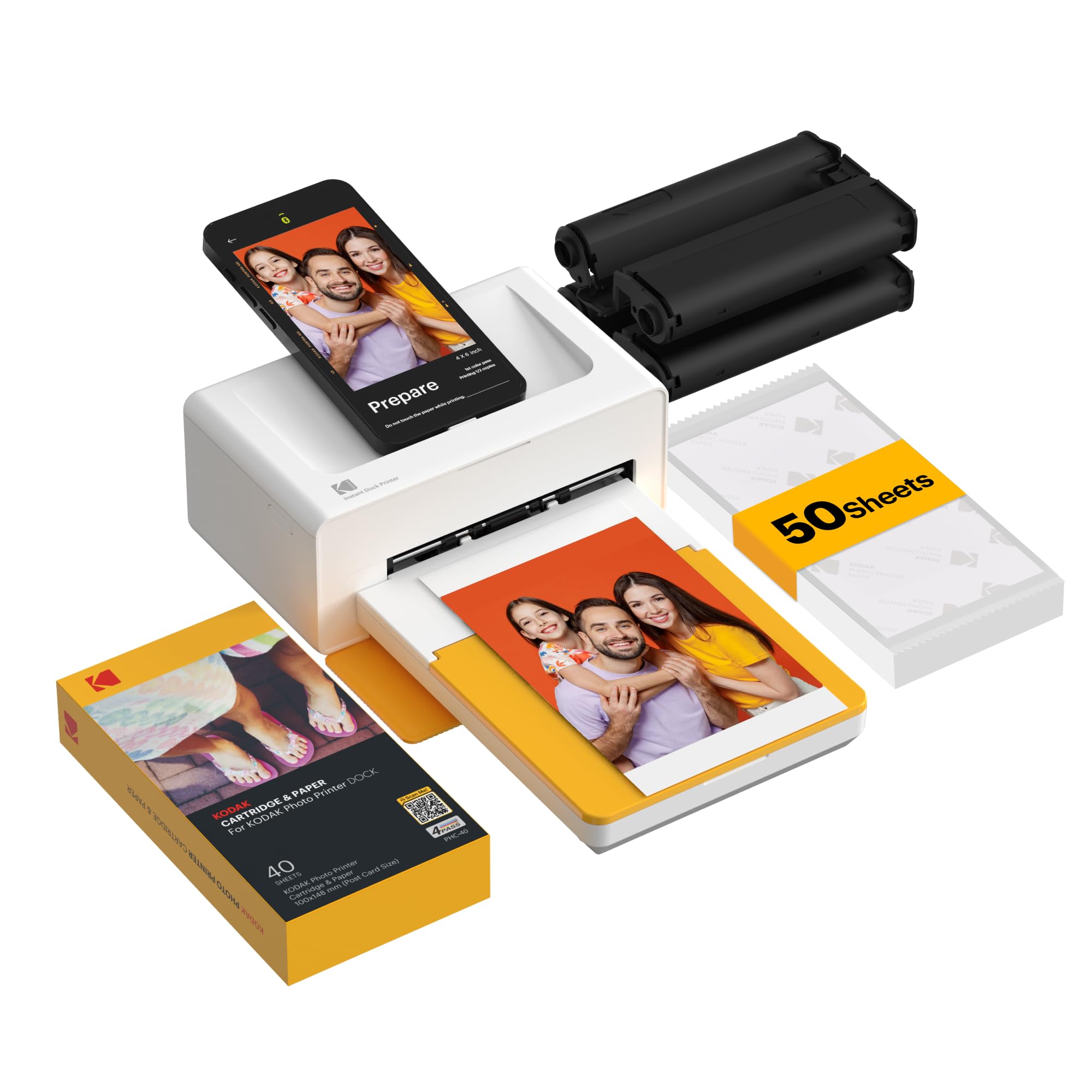
- Prints 4x6 photos using 4PASS dye sublimation.
- The phone dock also charges a compatible phone during printing.
- Includes 50 sheets.
Best For: Home users who want standard 4x6 prints and a phone-charging dock.
Liene Amber M110
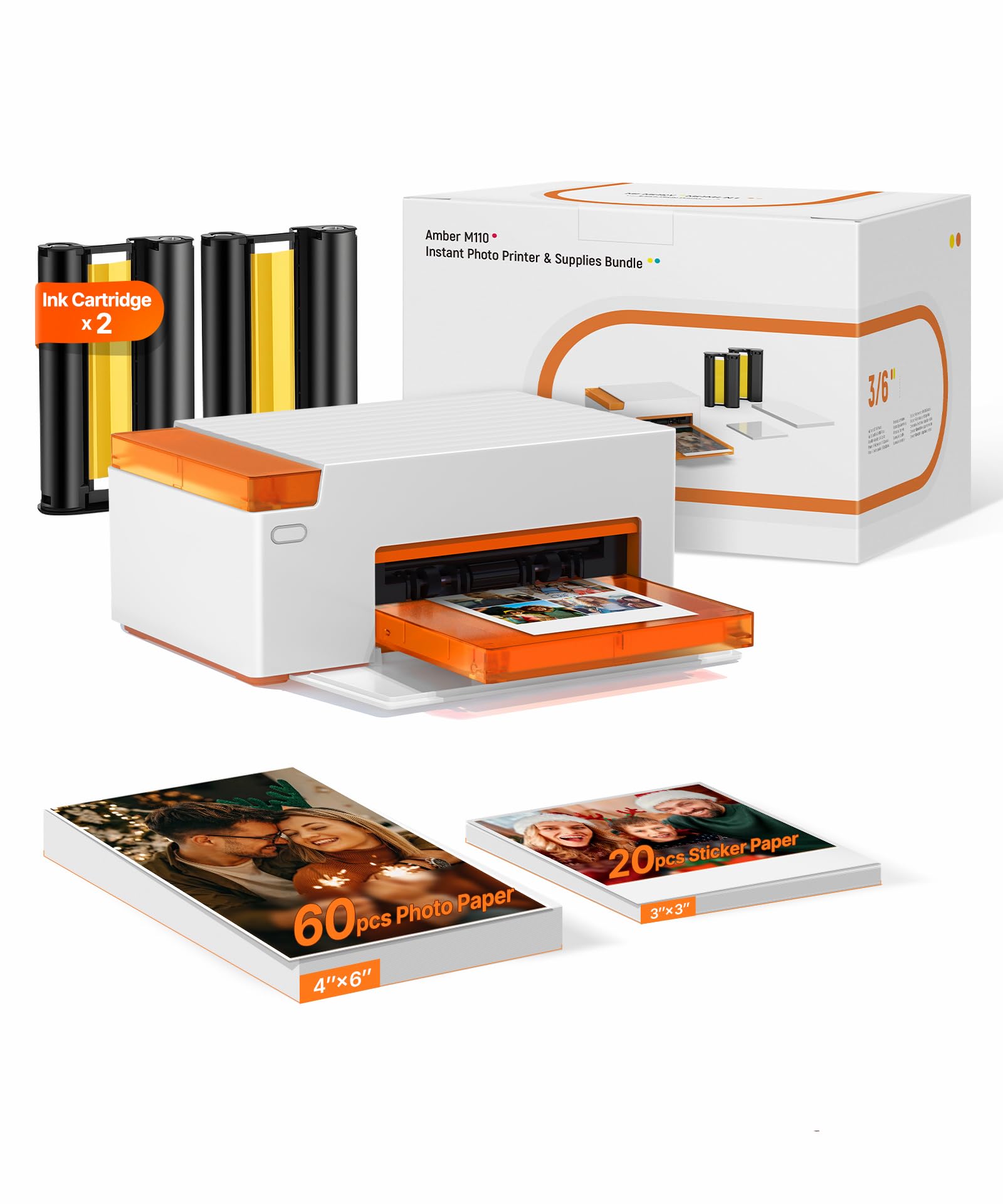
- Handles both 4x6 and 3x3-inch paper formats.
- Includes 60 sheets of 4x6 paper and 20 square sheets.
- The app offers borders, filters, and image adjustments.
Best For: People who want 4x6 prints and square stickers from one printer.
Liene M100
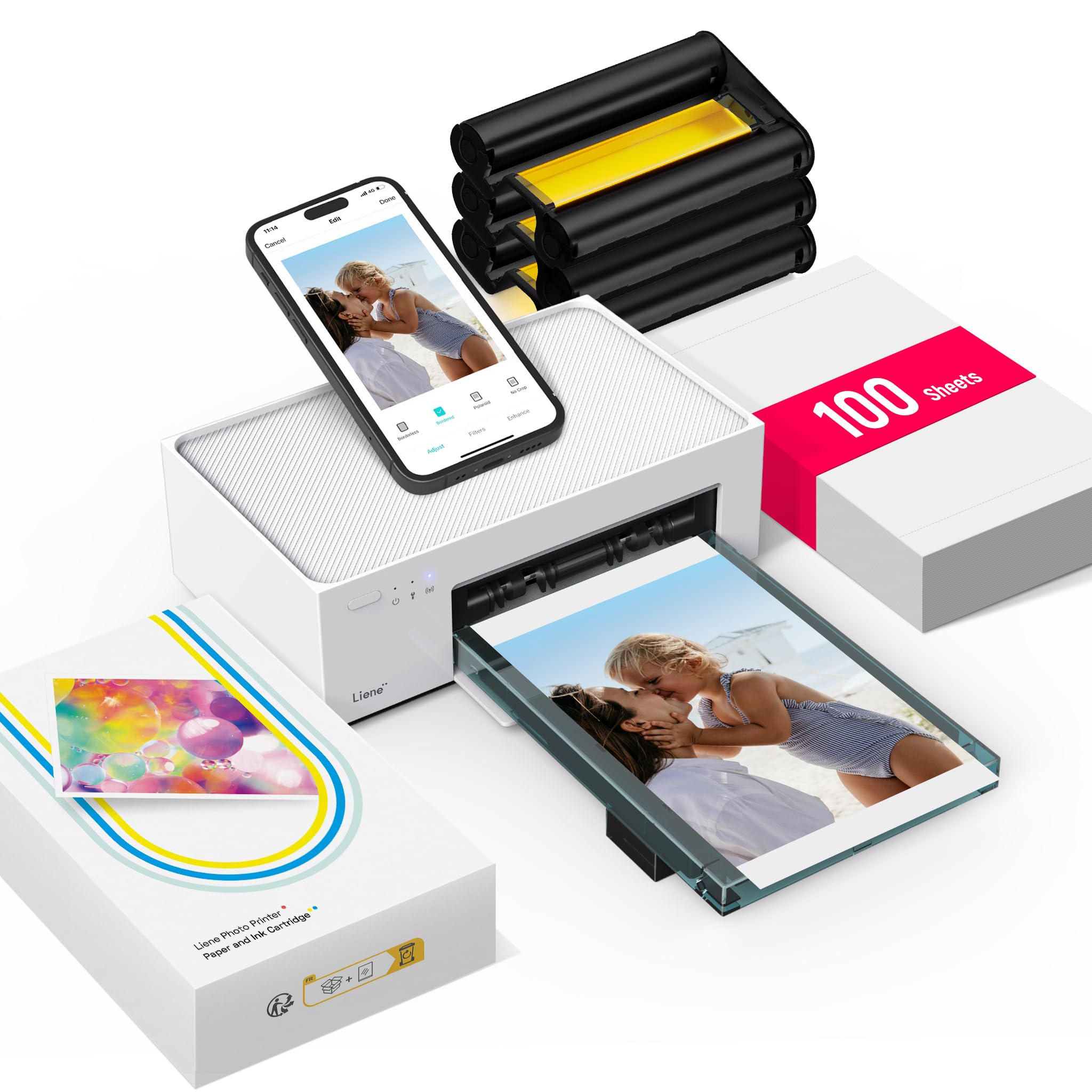
- Includes 100 sheets of 4x6 paper and three cartridges.
- Uses a built-in Wi-Fi hotspot for phone printing.
- Supports up to five simultaneous connections.
Best For: Phone and computer users who want a substantial 4x6 starter paper supply.
HP Sprocket Studio Plus
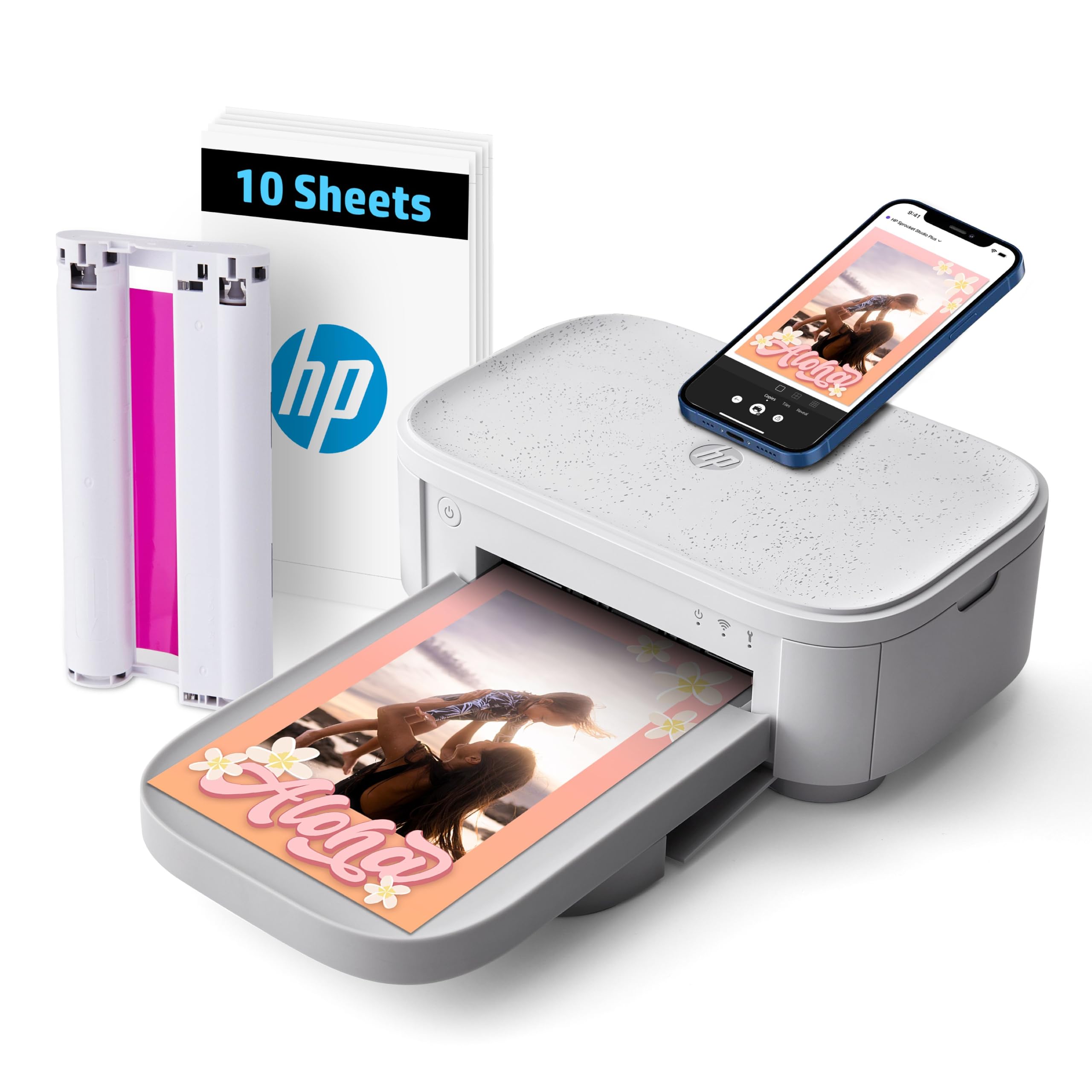
- Produces dry-to-the-touch 4x6 photos.
- Connects to phones over Wi-Fi using the HP app.
- Includes 10 sheets and a cartridge.
Best For: Phone users who want 4x6 prints with app-based layouts and effects.
HP Sprocket Select

- Prints 2.3-by-3.4-inch photos.
- Uses Zink paper without toner or ribbon replacements.
- Includes app filters and a hashtag-to-print feature.
Best For: Travelers who want pocket printing on sticky-backed paper.
KODAK Step

- Prints 2x3-inch sticky-backed photos.
- The rechargeable battery is rated for 25 photos per charge.
- The app includes collages, filters, borders, and stickers.
Best For: Crafters and travelers who want 2x3 Zink stickers and phone editing.
Liene Pearl K100
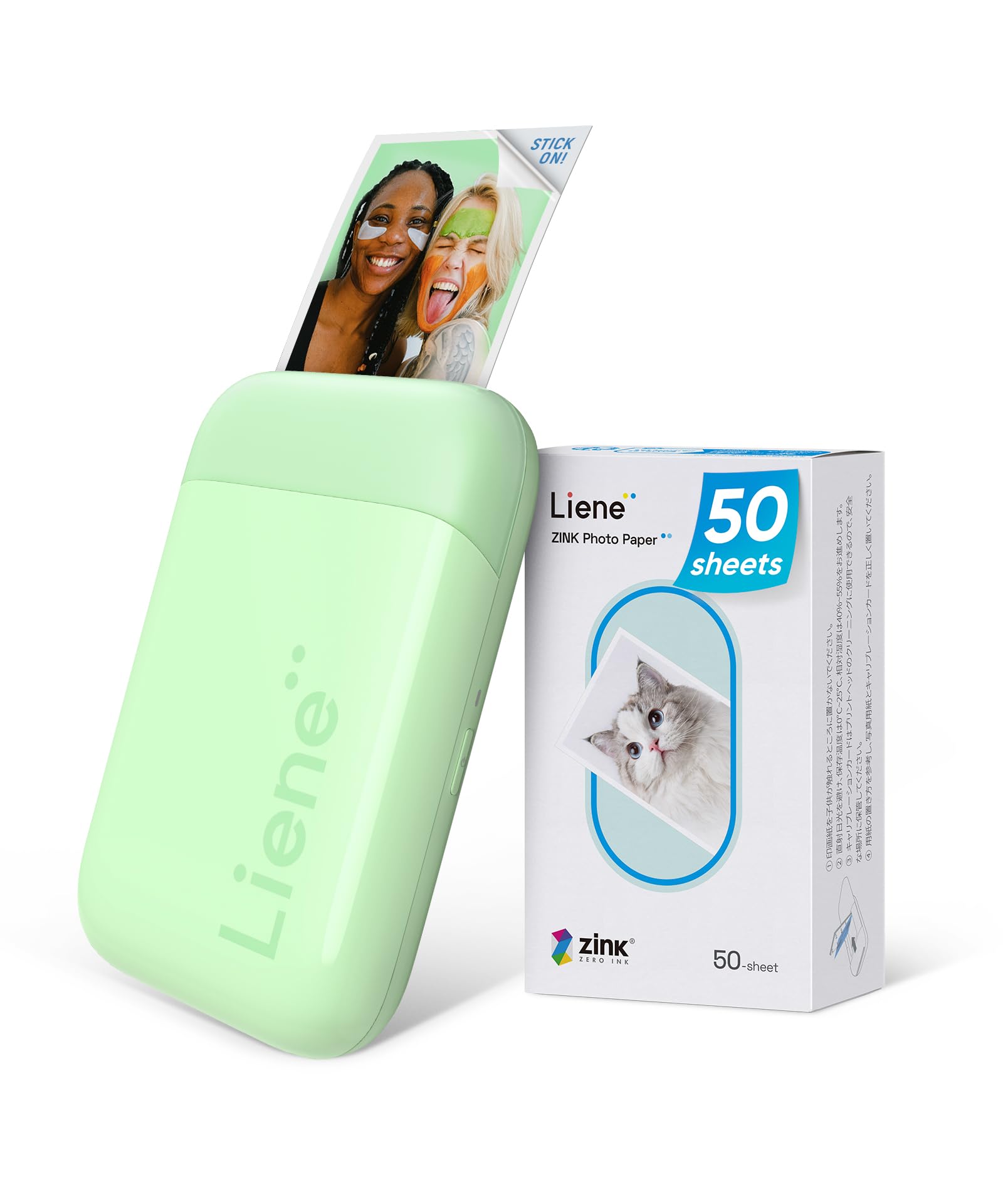
- Includes 50 sheets of 2x3 adhesive photo paper.
- Connects over Bluetooth 5.2 to iOS and Android phones.
- The app includes a print-head cleaning function.
Best For: Phone users who want a compact 2x3 printer with a 50-sheet paper pack.
Memoqueen T02
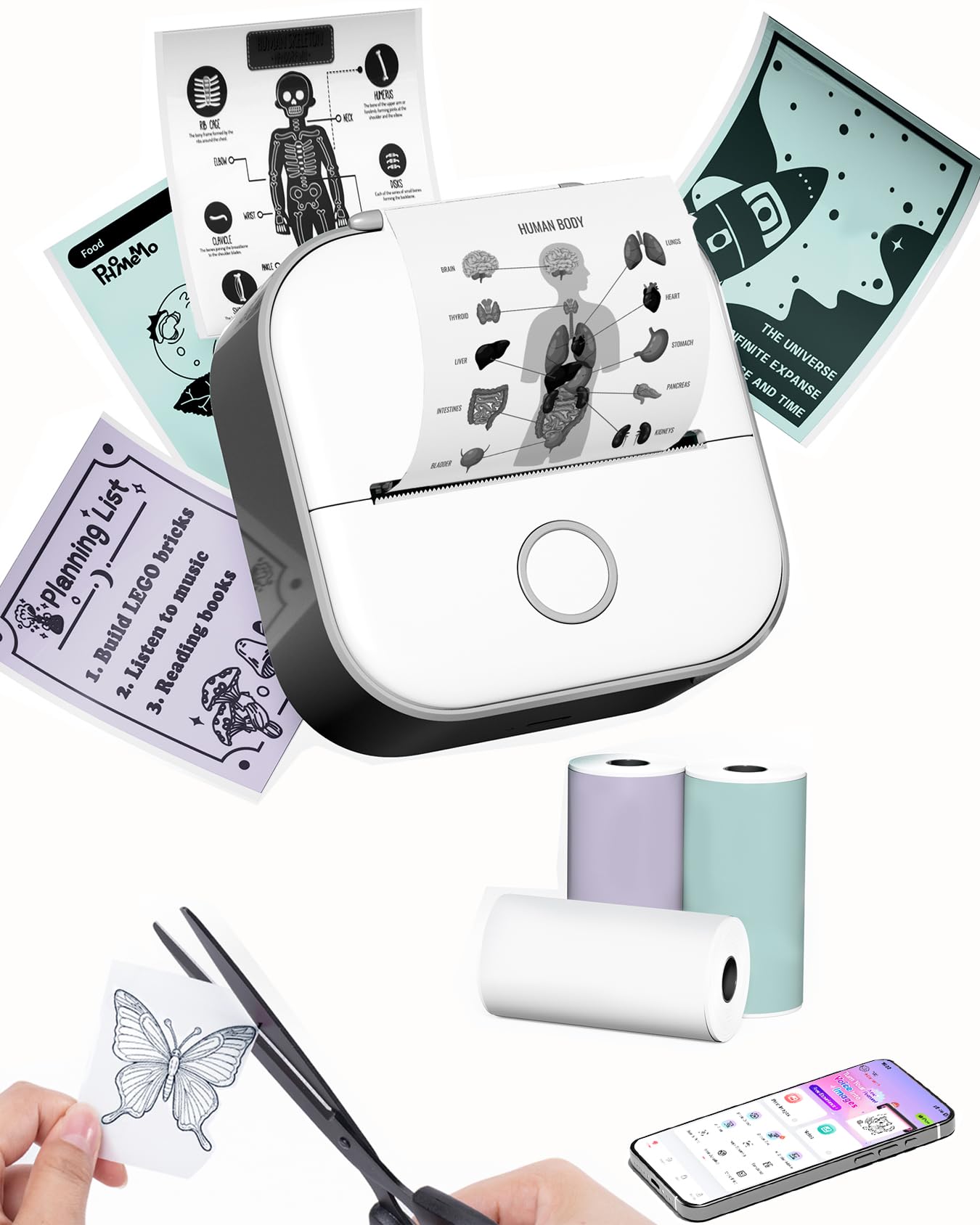
- Includes three rolls of thermal paper in white, purple, and green.
- The app can print text, images, lists, stickers, and QR codes.
- Compact dimensions are 87 by 90 by 40 mm.
Best For: Students and journalers who want a small monochrome printer for notes and stickers.
Nelko PP01
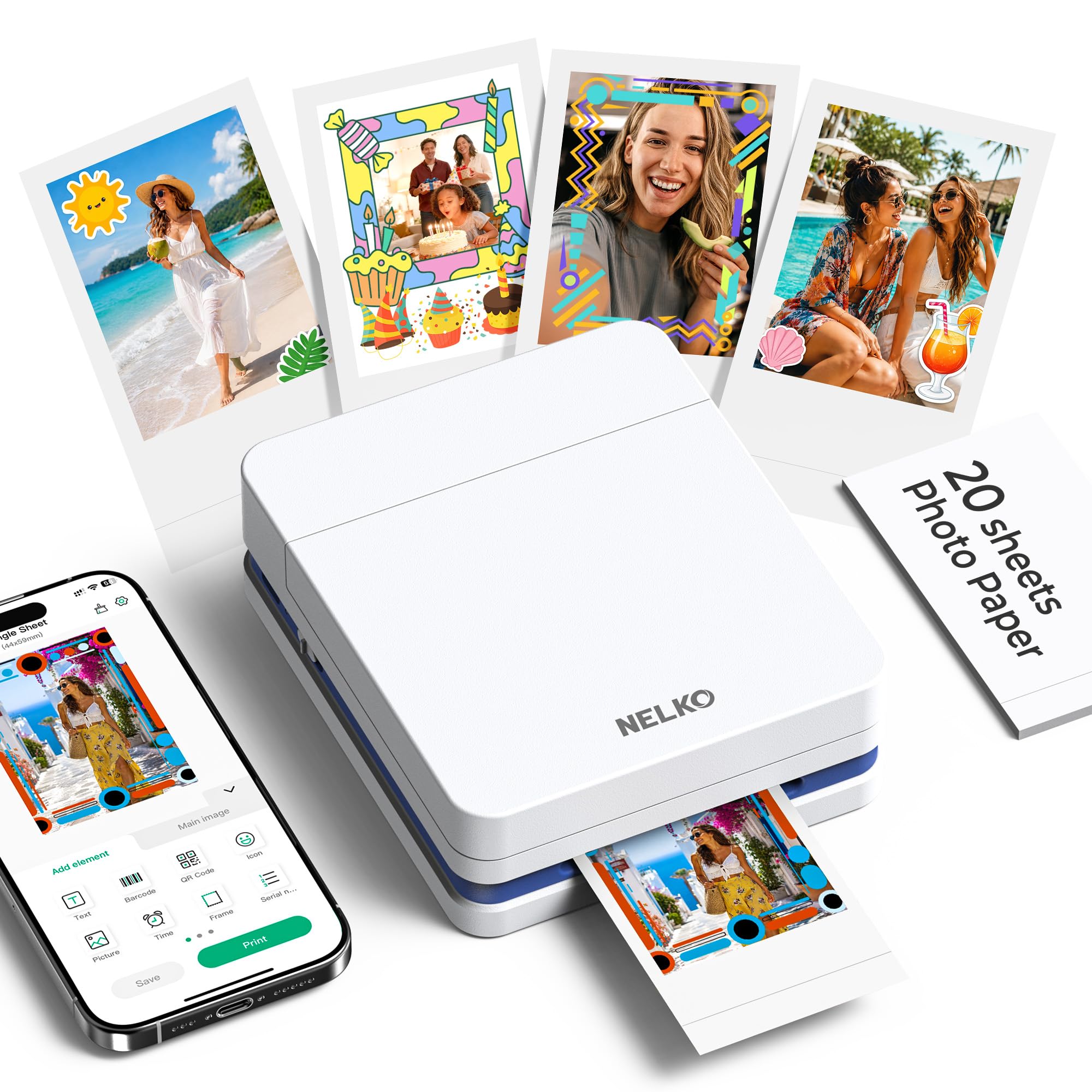
- Uses inkjet technology for 2x3 adhesive-backed photos.
- Each cartridge prints up to 80 full-color photos.
- The app offers collages, filters, borders, text, and AI editing.
Best For: Crafters who want 2x3 adhesive prints and app editing in a pocket printer.
Portable Dye-Sublimation Prints
KODAK Mini 2 Retro 2x3 Portable Photo Printer, 38 Sheets, Bluetooth Smartphone Printer for iPhone & Android, Instant Color Prints, 4PASS Dye Sublimation, Yellow
The KODAK Mini 2 Retro makes credit-card-size color photos using 4PASS dye-sublimation printing. Its layers are finished with clear lamination, designed to resist fingerprints, water, and fading.
Bluetooth connects it to compatible iOS and Android phones through the KODAK Photo Printer app, where you can edit, crop, and customize images. The package includes 38 sheets, four cartridges, a USB Type-C cable, and a user guide, so it is ready for printing after setup.
It is small enough for a bag or pocket, but its prints are smaller than standard photos and use cartridges as well as paper.
Best For: Travelers who want compact, laminated color prints from a phone.
| Pros | Cons |
|---|---|
|
|
Choose this model if you want conventional, laminated color prints in a printer small enough to travel with. The 38-sheet and four-cartridge starter supply is useful for getting started, while the app handles editing over Bluetooth.
Its compact credit-card-size output is the central tradeoff: it suits albums, wallets, and journals better than buyers who want larger wall or frame prints. Check ongoing paper and cartridge availability and decide whether the smaller format fits your photo projects.
Phone-Docking 4x6 Home Prints
KODAK Dock Plus 4x6'' Photo Printer, 50 Sheets, Docking & Bluetooth Smartphone Printer for iPhone & Android, Instant Color Prints, 4PASS Dye Sublimation
The KODAK Dock Plus pairs a smartphone docking station with 4PASS dye-sublimation printing for 4x6 color photos. A compatible phone can sit on the printer while connecting and charging, though the printer itself is designed for stable desktop use and connects to a power outlet.
Bluetooth and the KODAK Photo Printer app provide another way to send images from compatible iOS and Android devices and edit or crop them. Each print is made in three color layers and finished with protective lamination.
The 50-sheet package suits albums, framing, and family photos, but this is a home station rather than the easiest printer to carry around.
Best For: Home users who want standard 4x6 prints and a phone-charging dock.
| Pros | Cons |
|---|---|
|
|
Pick the Dock Plus if standard 4x6 prints matter more than printing away from a desk. The integrated phone dock is handy for charging while a phone is connected, and Bluetooth plus app editing provide a wireless option.
The 50-sheet supply gives it a larger starter stack than small pocket printers, but desktop placement and outlet power make it less suited to travel. Check the available space and power access where you plan to use it.
Two Paper Sizes in One Printer
Liene Amber M110 Bluetooth Photo Printer 80 Sheets, Portable Photo Printer for iPhone, Thermal Dye Sublimation, Picture Printer 60 Sheets 4x6 Paper & 20 Sheets 3" Square Sticker Paper & 2 Cartridges
The Liene Amber M110 offers two output formats: standard 4x6 photos and 3-inch square sticky-backed prints. Its dual tray design accommodates both sizes, while thermal dye-sublimation printing and laminated surfaces are designed for vibrant prints that resist water, scratches, fingerprints, and fading.
Bluetooth connects phones through the Liene app, which includes borders, filters, contrast and brightness adjustments, and printing status. The package contains 60 sheets of 4x6 paper, 20 sheets of square sticker paper, and two cartridges.
At 2.9 pounds, it is portable in the sense that it can be moved, but it is considerably less pocketable than a mini printer.
Best For: People who want 4x6 prints and square stickers from one printer.
| Pros | Cons |
|---|---|
|
|
This is a fit for buyers who want one machine to cover framed 4x6 photos and square sticker prints. The two trays and included paper make the format choice convenient, and the app provides basic customization.
Its weight and cartridge compatibility make it less appealing for light travel or buyers who want an inkless pocket printer. Before buying, confirm that both output sizes suit your projects and that Liene cartridges are acceptable for your refill plan.
Large Starter Supply for 4x6 Photos
Liene M100 4x6'' Photo Printer, Phone Printer 100 Sheets & 3 Cartridges, Full-Color Photo, Portable Instant Photo Printer for iPhone Android, Thermal Dye Sublimation, Wi-Fi Picture Printer 100 Papers
The Liene M100 is a compact thermal dye-sublimation printer for 4x6 color photos. Its package includes 100 sheets of paper and three color cartridges, making it attractive if you want to print a batch of photos without immediately restocking.
A built-in Wi-Fi hotspot connects phones directly, and the printer supports up to five simultaneous device connections. The Liene app adds borders, filters, contrast and brightness adjustments, and options for ID or visa photos.
Its dimensions and 200-gram weight in the record are inconsistent with the broader 4x6 desktop-printer description, so check the actual model size and setup requirements before choosing it as a travel printer.
Best For: Phone and computer users who want a substantial 4x6 starter paper supply.
| Pros | Cons |
|---|---|
|
|
Consider the M100 if you want 4x6 prints and value the large paper-and-cartridge starter pack. The direct hotspot connection is useful when no outside Wi-Fi network is available, and multiple devices can connect.
The record gives conflicting cues about portability, so verify the physical size and how it is powered before planning to travel with it. Also account for proprietary cartridges and the app based workflow when comparing ongoing convenience with the other printers.
Wi-Fi 4x6 Prints With Editing Tools
HP Sprocket Studio Plus 4x6 Wireless Instant Photo Printer, 10 Sheets + Cartridge, Wi-Fi, Premium Dye Sublimation, Compact Home Use, Prints Vibrant Color Pictures, Editing App for Creative Photos
The HP Sprocket Studio Plus makes dry-to-the-touch 4x6 photos using dye-sublimation printing. It connects to a smartphone through Wi-Fi and the HP Sprocket app, which can add stickers, frames, and filters and create collages, photo booth layouts, and photo IDs.
The initial package includes 10 sheets and a cartridge, enough to begin printing but less paper than several other supplied 4x6 options. HP says the prints use tear-resistant, smudge-proof, waterproof paper.
The record calls it compact and intended for home use, but does not provide dimensions or weight, so check those details if you expect to move it often.
Best For: Phone users who want 4x6 prints with app-based layouts and effects.
| Pros | Cons |
|---|---|
|
|
Choose the Studio Plus if you want standard 4x6 output and plan to use the HP app for creative layouts. Wi-Fi printing and the included cartridge keep setup focused on phone photos, while the pack of 10 sheets is modest compared with some other 4x6 starter bundles.
The product is described as compact for home use, but its precise footprint is unknown here. Check printer dimensions and the cost and availability of compatible supplies before deciding how portable it will be in practice.
Larger Zink Prints With Social Printing
HP Sprocket Select 2.3x3.4 Instant Photo Printer, Print Pictures on Zink Sticky-Backed Paper from Your iOS & Android Device, Portable Printer for Home Use and Travel, Eclipse
The HP Sprocket Select prints its listed photo size from iOS or Android devices over Bluetooth 5.1. This Zink model needs no ink, toner, or ribbon, and its glossy sticky-backed paper has colors embedded in it.
The HP app offers frames and filters, augmented reality features, and a hashtag-to-print function for supported social photos. A rechargeable pocket-sized design, soft-touch base, and removable magnetic lid suit casual travel use.
Confirm the cost and supply of the correct Select paper before buying.
Best For: Travelers who want pocket printing on sticky-backed paper.
| Pros | Cons |
|---|---|
|
|
The Select suits buyers who want pocket convenience and sticky-backed prints. Its rechargeable build, Bluetooth connection, and app tools make phone-to-print workflows straightforward, including social photos.
The included paper quantity is not clear in this offer. Check that Select-size Zink sheets are easy to source and that the output size fits how you plan to share prints.
Pocket Printer With App Editing
KODAK Step Instant Smartphone Photo Printer, Portable Mini Color Wireless Mobile Printer, Zink 2x3” (5.1x7.5 cm) Sticky-Back Photos, Bluetooth Compatible with iOS & Android Devices, Editing App, White
The KODAK Step is a palm-sized Bluetooth printer for 2x3 sticky-backed color photos from iOS or Android devices. Zink paper embeds dye crystals, eliminating separate ink, toner, or ribbon supplies.
The rechargeable battery is specified for 25 photos on a full charge, and the package includes a starter pack of paper and a Micro USB charging cable. In the Kodak app, you can make collages and add filters, borders, stickers, and text before printing.
It fits planners and scrapbooks better than large-format photo jobs, and the listing does not give the exact number of starter sheets, so check what paper is included and how much refills cost.
Best For: Crafters and travelers who want 2x3 Zink stickers and phone editing.
| Pros | Cons |
|---|---|
|
|
Choose the Step for pocket-size prints you can stick into a journal, planner, or scrapbook. The rechargeable battery's 25-photo rating gives a useful guide for outing length, while the Kodak app offers more than basic cropping.
Its 2x3 format and unspecified starter-sheet count matter if you want larger photos or need to estimate a printing session. Confirm the paper pack quantity and refill costs, and consider whether Micro USB charging fits your existing travel setup.
Pocket Zink Printing With Bluetooth 5.2
Liene Pearl K100 Photo Printer, 2x3” Mini Portable Instant Phone Printer 50 Zink Adhesive Paper, Bluetooth 5.2 Compatible w/iOS & Android, Small Color Picture Printer for iPhone Smartphone Green
The Liene Pearl K100 prints 2x3 color photos on adhesive-backed Zink paper and connects to iOS or Android phones over Bluetooth 5.2. Its pocket-sized form is compared with a power bank, and a sliding cover is designed for one-handed paper loading.
The included pack contains 50 sheets, while the app provides a print-head cleaning function for white spots or lines; the instructions call for a blue calibration card when cleaning. You can print only through the Liene app.
This is a travel-friendly option for sticker photos, though buyers should factor in app dependence and confirm what is included for charging and maintenance.
Best For: Phone users who want a compact 2x3 printer with a 50-sheet paper pack.
| Pros | Cons |
|---|---|
|
|
The K100 works well for phone-first printing when you want adhesive 2x3 photos and a generous paper starter pack. Bluetooth 5.2 and the sliding cover support simple mobile use, while the cleaning feature may help address marks on prints.
The workflow is tied to the Liene app, and print-head cleaning requires a blue calibration card. Check whether the charging accessories you need are included and whether you are comfortable keeping photo selection and printing inside one app.
Thermal Sticker Prints for Journaling
Memoqueen T02 Mini Sticker Printer & 3 Rolls Paper, Black | 50mm HD Print, Smart APP, Gift, DIY Journal, Memos, Study Notes
The Memoqueen T02 is a pocket thermal printer for notes, lists, labels, and creative journal content. Its compact size is given as 87 by 90 by 40 mm, and Bluetooth connects it to the Phomemo app.
The app can combine text, images, shapes, emojis, and QR codes, with AI image creation and cutout tools for making stickers. Three rolls of thermal paper are included in white, purple, and green.
This is a practical portable printer for small creative projects, but it is not a conventional full-color photo printer. Choose it only if monochrome thermal output and small-format prints suit the intended use.
Best For: Students and journalers who want a small monochrome printer for notes and stickers.
| Pros | Cons |
|---|---|
|
|
This model is relevant only if your portable photo-printing needs are closer to monochrome journal art, labels, and small stickers. The pocketable size, three included rolls, and app tools are useful for notes and creative projects.
It does not produce conventional color photo prints, so it is a poor match for buyers expecting keepsake photos from a phone. Check the output format and thermal-paper type before choosing it for any project that calls for photographic color.
Inkjet Sticker Prints With High Resolution
Nelko Photo Printer, 2x3 Portable Wireless Smartphone Printer, PP01 Mini Color Instant Inkjet Printer, Sticky-Back Photos, Bluetooth Compatible with iOS & Android, App Editing, White
The Nelko PP01 is a 2x3 portable photo printer that uses inkjet technology rather than Zink or dye sublimation. It connects to iOS and Android phones over Bluetooth, with printing and editing handled through the Nelko app.
The printer weighs 0.6 pounds, and each ink cartridge is rated for up to 80 full-color photos. The app includes collages, filters, borders, text, stickers, graffiti, and AI image editing.
The package includes a USB charging cable, but not an adapter. It offers a broader editing suite and inkjet output in a pocketable form; check replacement cartridge costs and print speed, which is not specified here.
Best For: Crafters who want 2x3 adhesive prints and app editing in a pocket printer.
| Pros | Cons |
|---|---|
|
|
Choose the PP01 if you want a small phone printer with extensive app editing and are comfortable using ink cartridges. The 2x3 adhesive format suits scrapbooks and planner pages, and the stated yield of up to 80 photos per cartridge helps frame refill planning.
Unlike the inkless Zink options, this model depends on cartridges, and no adapter is included. Check cartridge availability and whether the unspecified print speed fits your event or travel use.
How to Choose Portable Photo Printers
How We Picked Portable Photo Printers
This group focuses on devices that turn phone images into physical prints in a portable or compact setup. Pocket Zink printers like the HP Sprocket Select, KODAK Step, and Liene Pearl K100 emphasize carry-friendly bodies and small adhesive photos.
Portable dye-sublimation printers trade some convenience for laminated color output, while compact 4x6 models serve people who value a larger print at home.
Format and workflow shaped the selection. The shortlist includes 2x3 and 2.3x3.4-inch stickers, credit-card-size keepsakes, square prints, and standard 4x6 photos.
We also looked for clear phone connectivity, app support, included supplies, and documented portability. The T02 appears only as a limited-use option because its thermal sticker output is monochrome rather than conventional color photography.
Comparing Portable Photo Printers
Start by deciding whether you want pocket prints to stick into a journal or photographs large enough for traditional albums and frames. Zink models such as the KODAK Step and Liene Pearl K100 use adhesive paper and do not require separate ink cartridges.
The HP Sprocket Select increases the print area to 2.3 by 3.4 inches, while remaining well below the 4x6 output of models such as the KODAK Dock Plus and Liene M100.
Print technology affects both the look and the supply routine. The KODAK Mini 2 Retro uses 4PASS dye sublimation with a laminated finish; the Liene M100 and HP Sprocket Studio Plus are also dye-sublimation 4x6 options.
The Nelko PP01 uses inkjet cartridges for its 2x3 photos. Compare the included paper and cartridges with the refill format you expect to keep buying.
| Product | Standout features | Best for |
|---|---|---|
| KODAK Mini 2 RetroCheck Price |
| Travelers who want compact, laminated color prints from a phone. |
| KODAK Dock PlusCheck Price |
| Home users who want standard 4x6 prints and a phone-charging dock. |
| Liene Amber M110Check Price |
| People who want 4x6 prints and square stickers from one printer. |
| Liene M100Check Price |
| Phone and computer users who want a substantial 4x6 starter paper supply. |
| HP Sprocket Studio PlusCheck Price |
| Phone users who want 4x6 prints with app-based layouts and effects. |
| HP Sprocket SelectCheck Price |
| Travelers who want pocket printing on sticky-backed paper. |
| KODAK StepCheck Price |
| Crafters and travelers who want 2x3 Zink stickers and phone editing. |
| Liene Pearl K100Check Price |
| Phone users who want a compact 2x3 printer with a 50-sheet paper pack. |
| Memoqueen T02Check Price |
| Students and journalers who want a small monochrome printer for notes and stickers. |
| Nelko PP01Check Price |
| Crafters who want 2x3 adhesive prints and app editing in a pocket printer. |
Choosing a Printer for Travel
For a small travel bag or event, check the printer's weight, charging method, battery rating, and paper size together. The KODAK Step gives a stated 25-photo battery rating, while the Liene K100 and HP Sprocket Select use pocket-oriented designs.
The larger 4x6 choices may be movable but take more space and can depend on a desktop setup or Wi-Fi workflow.
Also look at how friends or family will connect. Bluetooth supports a direct phone connection on several pocket models, and some, including the Liene M100, use a built-in Wi-Fi hotspot.
App dependence matters too: the K100 requires the Liene app, while Kodak and HP models also route editing through their named apps. Confirm device compatibility and whether you are comfortable printing through that software.
Photo Paper, Supplies, and Ongoing Use
Starter quantities differ considerably. The Liene K100 includes 50 sheets of 2x3 Zink paper; the KODAK Mini 2 Retro includes 38 sheets and four cartridges; the Liene M100 package includes 100 sheets with three cartridges.
The HP Sprocket Studio Plus starts with 10 sheets and a cartridge. Check whether the paper is adhesive, whether the printer needs cartridges, and whether the included quantity matches your first project.
Protective finish language also varies by process. Some Zink paper is described as resistant to water, smudges, or tears, while the dye-sublimation options add lamination designed to resist marks and fading.
Those features may suit scrapbooks and keepsakes, but paper dimensions still determine whether a print fits a frame or album. Verify the exact refill supplies for the model you choose.
Who Should Buy Which Portable Photo Printer?
Pick the KODAK Step or Liene Pearl K100 for small adhesive phone prints and travel-friendly handling. Choose the HP Sprocket Select if a slightly larger sticker print helps with journaling or sharing.
The KODAK Mini 2 Retro suits buyers who prefer laminated, credit-card-size photos and want a starter bundle of paper and cartridges.
For standard 4x6 photos, compare the KODAK Dock Plus, Liene M100, and HP Sprocket Studio Plus by placement, connectivity, and supplies. The Dock Plus is a home-oriented printer with a phone dock; the M100 connects through its own Wi-Fi hotspot and includes a larger paper supply; the Studio Plus emphasizes Wi-Fi and app-based layouts.
Choose the T02 only for monochrome notes and sticker projects, and the Nelko PP01 if its inkjet cartridge workflow and 2x3 output match your craft use.